Get Your Moodle Calendar URL
To receive deadline reminders from the ReMoodle bot, you need to connect your Moodle calendar. The bot uses your Moodle calendar URL to fetch upcoming events and notify you in Telegram. Follow the steps below to get that URL.
Step 1 — Open Dashboard
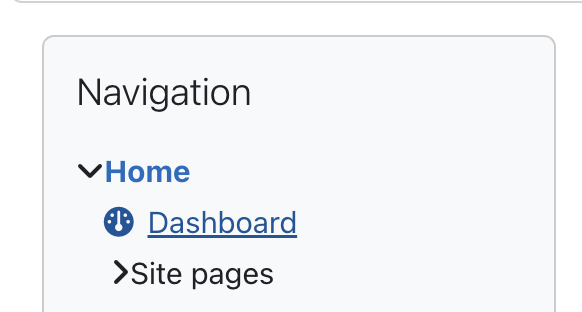
In the left sidebar, click Home, then Dashboard.
Step 2 — Open the Calendar
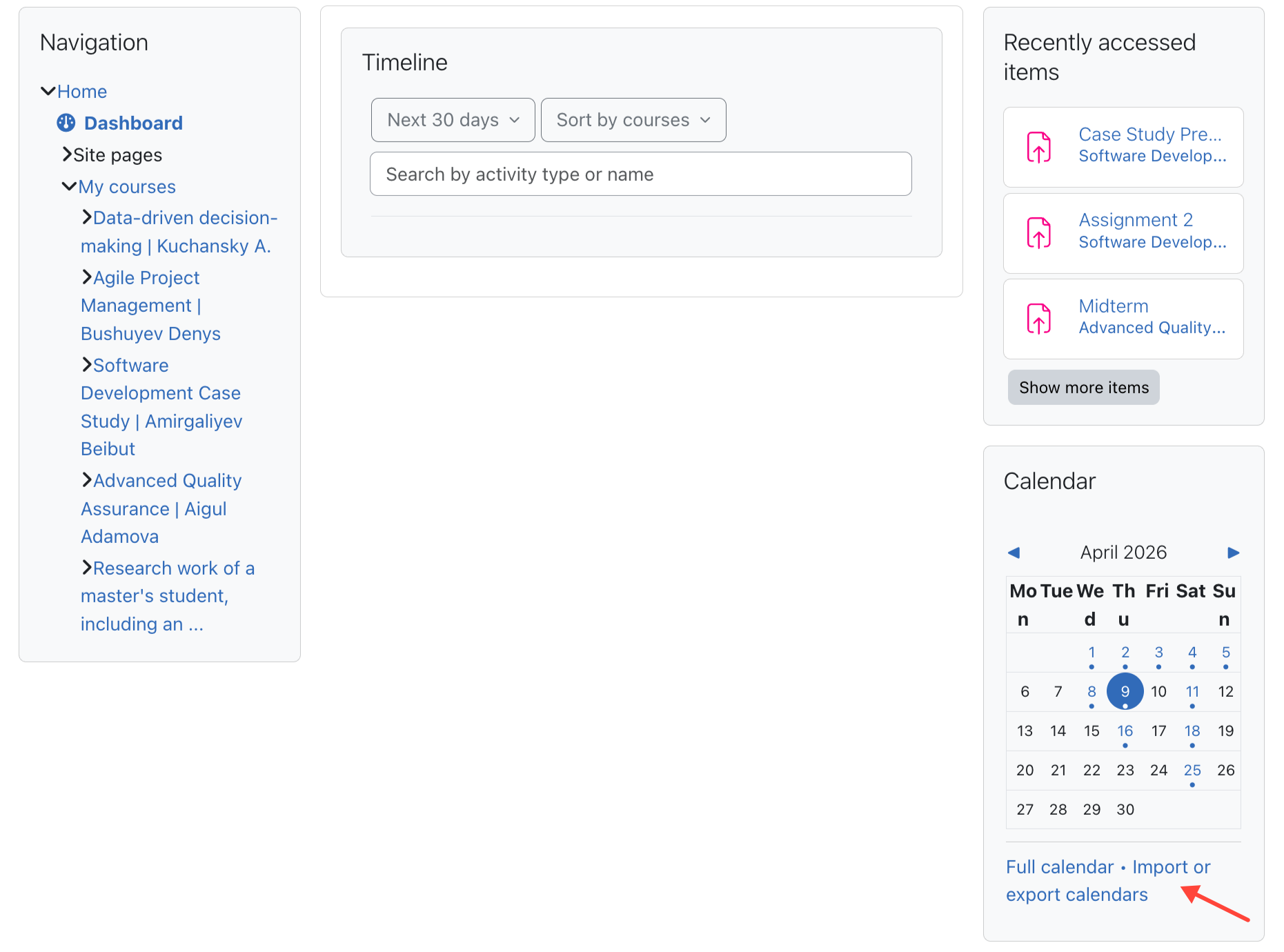
On the dashboard, find the Calendar widget on the right side. At the bottom, click "Import or export calendars".
Step 3 — Go to Import or Export Calendars
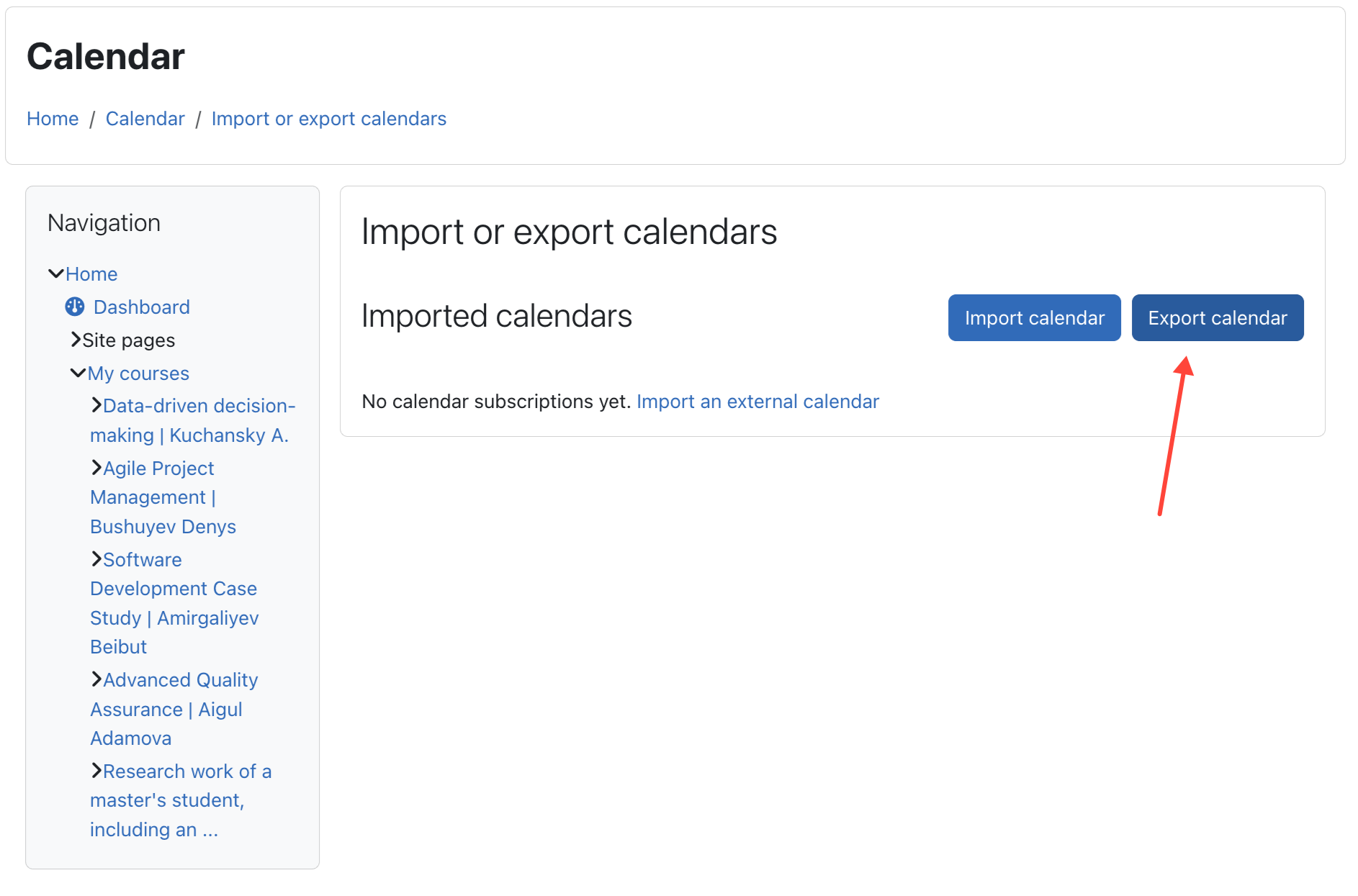
On the Calendar page, click the "Export calendar" button in the top-right corner.
Step 4 — Get the Calendar URL
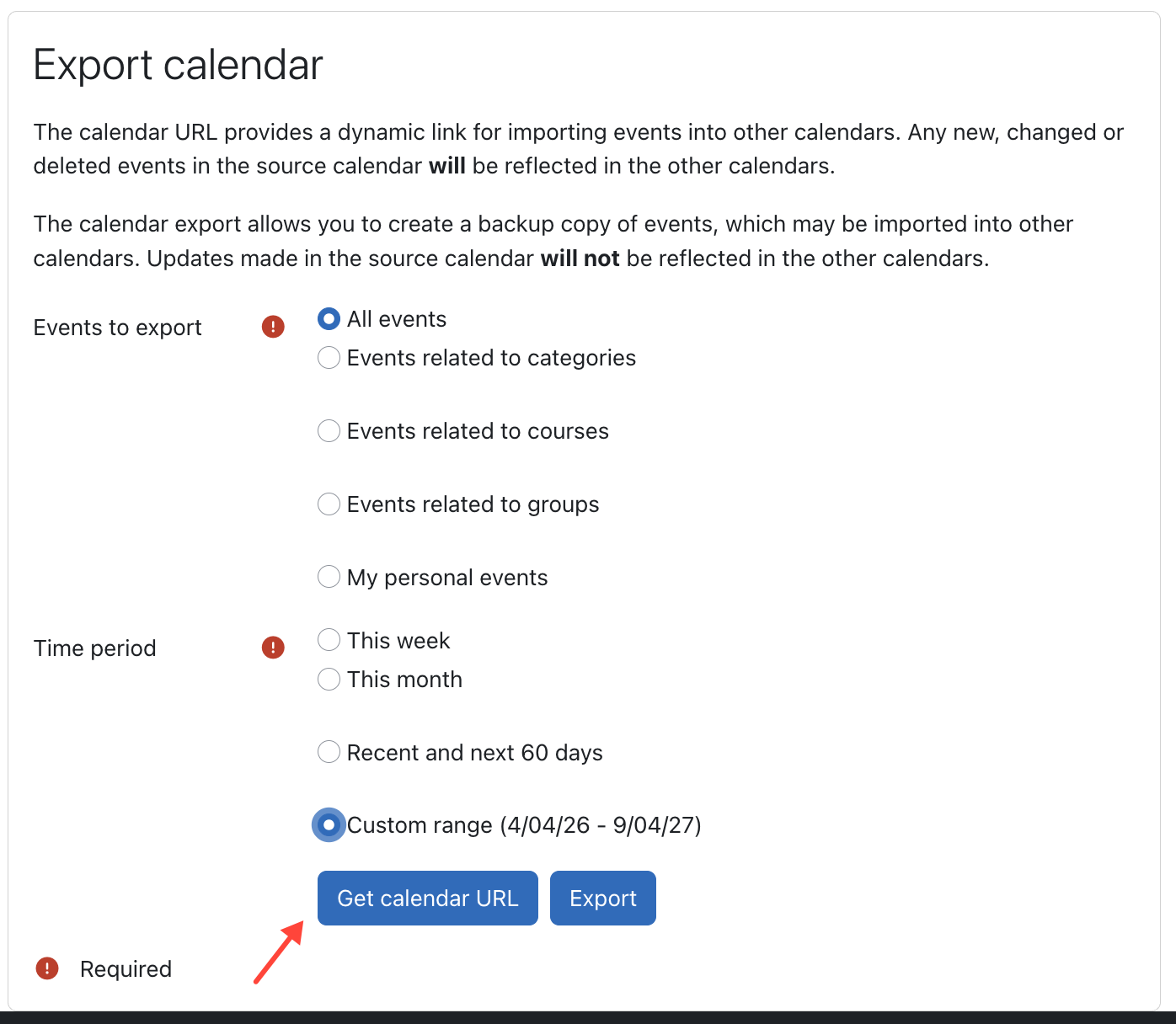
On the Export calendar page:
- Under Events to export, select "All events"
- Under Time period, select "Custom range" and set a wide enough range (e.g. 4/04/26 – 9/04/27)
- Click "Get calendar URL"
Copy the URL that appears — this is what you paste into the ReMoodle bot.
TIP
The URL is permanent and updates automatically as new events are added to your Moodle courses. You only need to do this once — after sending it to the bot, it will check for new deadlines automatically.